
STEP-BY-STEP GUIDE
Buy ETH on ByBit

The process takes place in three stages:
I. Buying USDT with fiat (regular) money;
II. Exchanging USDT for ETH;
III. Transferring the purchased ETH to your MetaMask wallet.
STEP I. Purchase USDT with Fiat Money
1. Log in to your account on the platform's website: https://bybit.com/
2. Navigate to the top menu, click "Buy Cryptocurrency," and select "p2p trading" from the drop-down menu

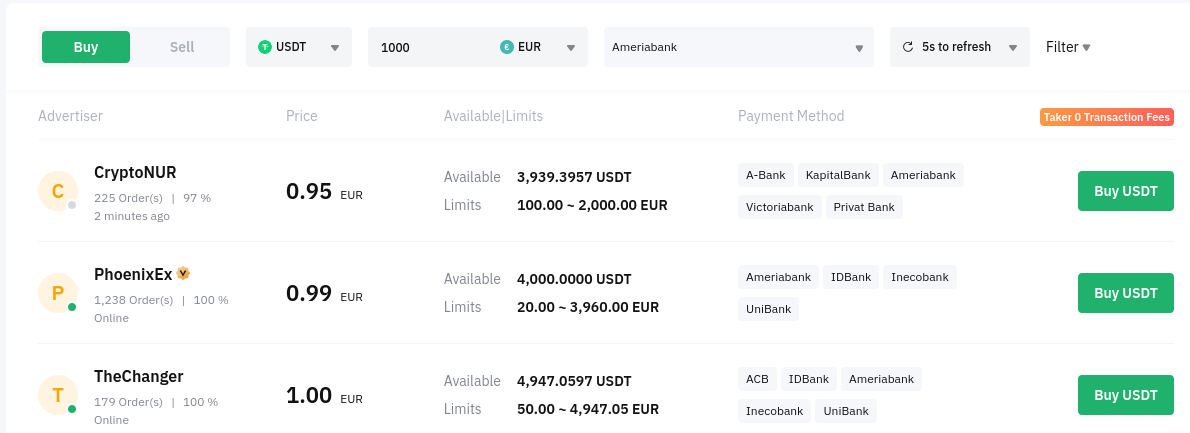
Fill in the fields according in accordance with the required parameters:
a) Purchase/Sale (in our case "Purchase")
b) Select USDT
c) Enter the desired amount for the purchase (in your currency)
d) Specify the currency, e.g. "EUR"
e) Select the preferred payment method (bank name)
4. Select your merchant and click "Buy USDT." Each merchant has different rates. Favorable rates rank higher in the listing.
5. Repeat entering the required amount for the purchase and carefully read the "Notes" (if they are specified). There may be important information about the terms of the transaction with this seller.
Beware of SCAMS! If you notice something suspicious, it is better to cancel the transaction and choose another merchant.
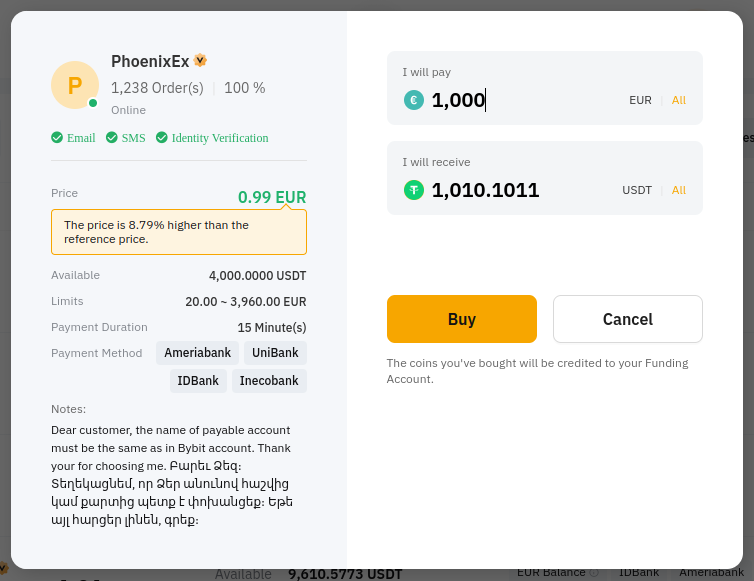
6. Transfer funds to the specified bank details of the merchant and wait for confirmation of USDT receipt to your ByBit account. If there are payment complications on any side - use the chat inside your order to settle the issue.
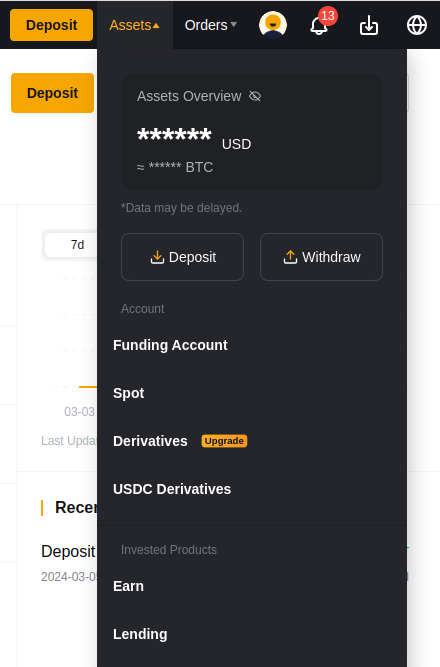
8. On this page, under "USDT," select the "Transfer" action.
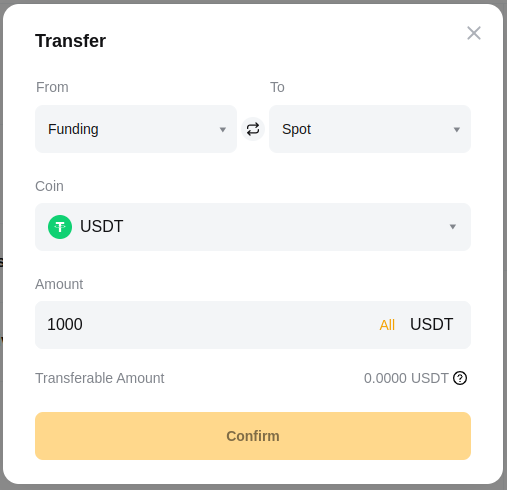
In the window that pops up, specify the account "FROM - FUNDING" and "TO – SPOT." Don’t forget to specify the desired amount.
If you are going to buy ETH with all available USDT, select "All" in the "AMOUNT" field.
9. To buy Ethereum (ETH), go to spot trading by accessing "Trade" → "Spot Trading" → ETH/USDT from the top menu
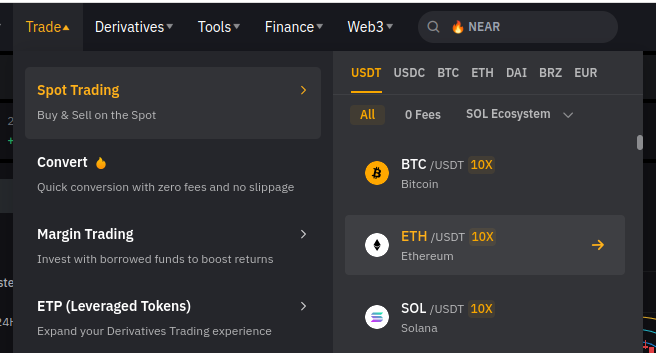
IMPORTANT: Ensure that the "Spot" mode is activated on the right side of the page, not "10X Margin." If necessary, switch to "Spot."
10. Select the "Limit" order type if you want to buy ETH at the price you choose (in this case, you will have to wait until sellers are willing to sell you ETH at your specified price), or "Market" for immediate transaction at current market rates.
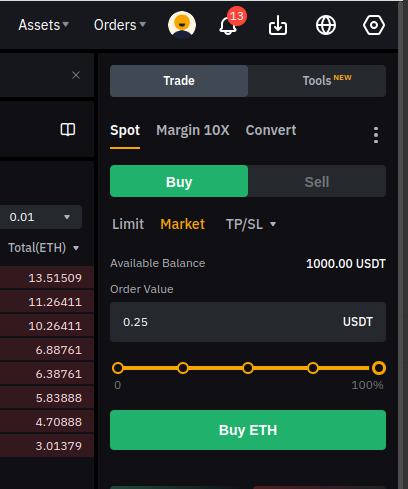
11. Move the slider to 100% if you want to buy ETH with all available USDT and click "Buy ETH."
12. Congratulations! Your ETH balance is now reflected in your spot account.
14. In the window that pops up, enter:
a) Your ETH wallet address in Metamask (starts with "0x.....", can be found at the top of your wallet);
b) Select network type "ERC-20";
c) Specify the amount of ETH to be transferred to your Metamask wallet.
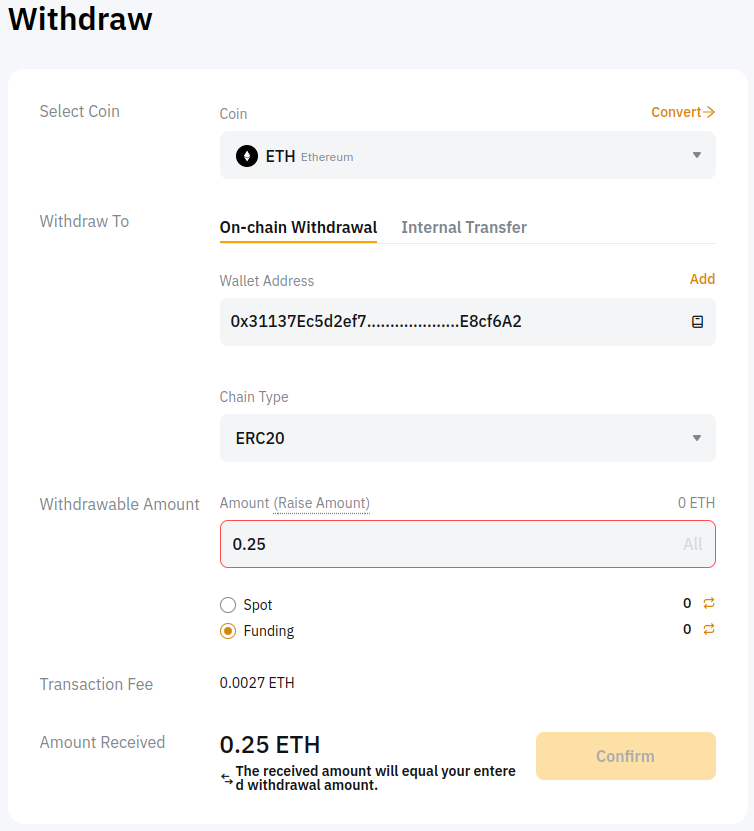
15. Confirm the transaction and wait for the blockchain to process the transaction (the transfer may take up to several hours depending on the network load)
16. Your ETH is now in your Metamask wallet and you can purchase TimeBox via the OpenSea platform .
 If you need assistance or have questions, our team stand ready to help! |