
STEP-BY-STEP GUIDE
How to Install
The TimeSoul Application
The TimeSoul Application
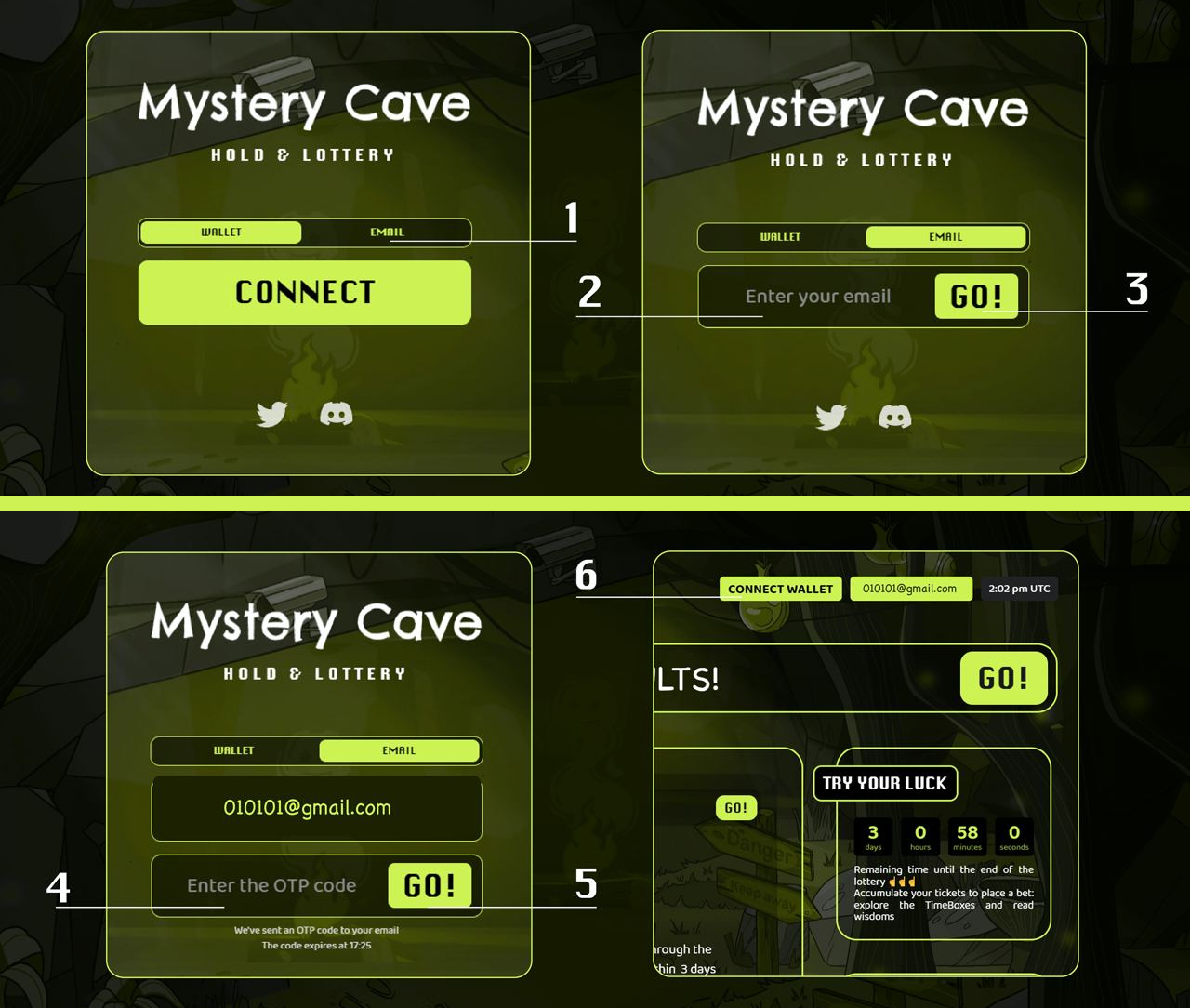
1. First, you need to link your email to our MysteryCave platform:
- Visit the platform's website at https://dapp.timesoul.com/ without logging in;
- Switch to email authentication;
- Enter your email and click the "GO!" button. (a password will be sent to your email);
- Enter the password (OTP code) specified in the e-mail and press the "GO!" button;
- Locate the "Connect Wallet" button on the screen and click on it;
- Specify a wallet with TimeBox;
2. Download the TestFlight application at the following link: https://apps.apple.com/ru/app/testflight/id899247664.
This step is required to access the second (main) application.
3. Download the main app at https://testflight.apple.com/join/9LjZvst1 and enter the email you used on the MysteryCave platform in step 1.
This grants you access to your TimeBox.
Given that the application is in the developmental phase, the current version can only be obtained through this method.
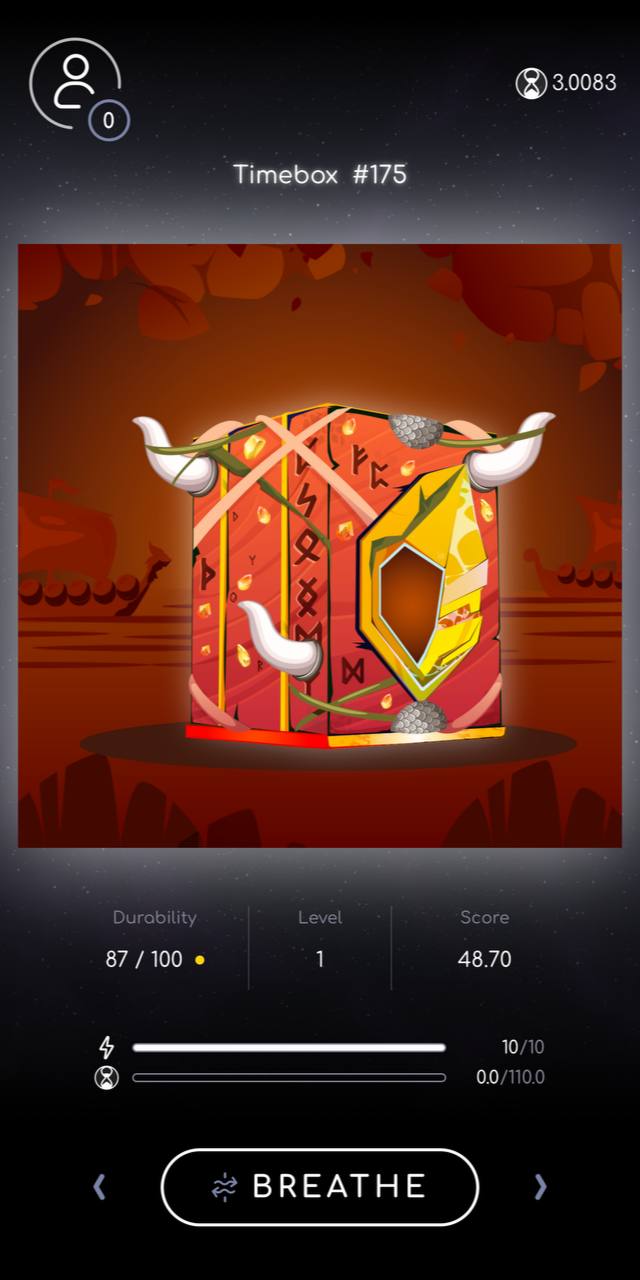
You are now ready to explore the initial workouts (currently offering modes such as Relax, Breathe, Walk, Freeze), level up your TimeBox on the platform, thereby influencing your characteristics and performance within the application. Additionally, accrue Bonus Points, which can later be exchanged.
That's all. Thank you for your time!
Welcome to the captivating world of TimeSoul
Should you require to go back to any point in the manual:
 If you need assistance or have questions, our team stand ready to help! |