
STEP-BY-STEP GUIDE
Registration on ByBit

Use your email address or cell phone number, whichever is more convenient for you, to register.
Registration can be completed via PC or mobile device.
Step 1: Click on the "Sign Up" button at the top right corner of the Bybit homepage

Please note that the referral code field is optional and can be left blank.
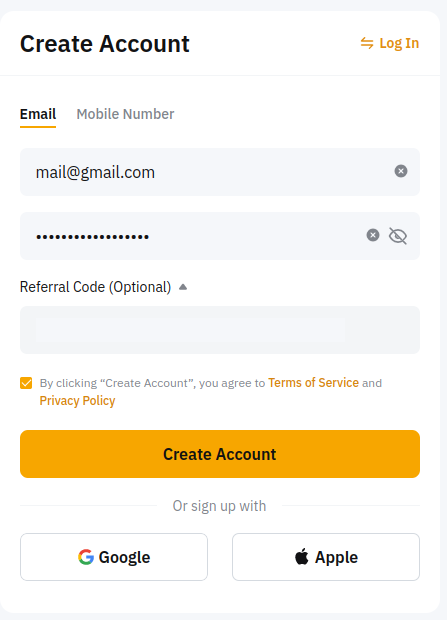
Step 3: Click on the "Create Account" button, having previously checked the agreement checkbox of Bybit's privacy policy.
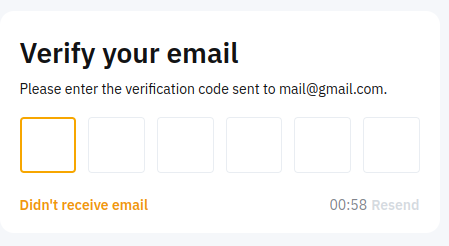
Step 4: Complete the reCAPTCHA verification and enter the confirmation code you received, depending on your preferred method of registration.
If you selected email registration, a code will be sent to your email address. Look for it in your inbox or spam folder. If you selected cell phone registration, you will receive a text message containing a code to your mobile device.
Step 5. After successful registration, you can start funding your account with assets. Detailed instructions regarding this process can be found HERE.
 If you need assistance or have questions, our team stand ready to help! |